Heatmaps
See where people click, where the mouse travels, how far they scroll and where they get stuck — drawn over a faithful rebuild of the page itself. A premium feature, off by default until you enable it on a data stream.
What this report gives you#
Numeric reports tell you a page got so many views and so many people bounced. They do not tell you why. Heatmaps, at /heatmaps, is the missing layer: a sample of real visitor interaction — clicks, mouse movement, scroll depth — drawn over a faithful rebuild of the page.
It sits in the sidebar under the Explore group.
Heatmaps is not included in the Free plan. If the property you have switched to is on Free, the menu item carries a premium badge and the page shows an upgrade card instead of the maps. Opening the route directly gets the same answer. The property's plan has to move to Premium — see Plans and entitlements.
There are five views, all drawn over the same page:
| View | What it shows |
|---|---|
| Click | click density across the page |
| Move | mouse trails — where attention wandered |
| Scroll | what share of pageviews reached each depth |
| Rage | repeated, fruitless clicking on one spot |
| Dead | a click on something that was never clickable |
Turn capture on#
Heatmap capture adds extra JavaScript to your page, so it is off by default and enabled per data stream.
| Setting | What it does |
|---|---|
| Sample rate | The share of visitors captured. The draw is deterministic and keyed on the visitor's ID, so a person is consistently in or out — never half a page. |
| Modes | Click map, move map (the heaviest — mouse trails), scroll map. At least one must be on. |
| Capture page screenshot | The backdrop the heat is drawn over. Without it, heat lands on a neutral grid. |
| Run until | An auto-stop date. Set it for a time-boxed experiment, leave it blank to run open-ended. |
| Exclude paths | One path prefix per line. Pages under these are never captured. |
The move map produces several times more samples than the others. On a busy site, start with a low sample rate and click + scroll only, then turn move on for one page once you know what you are looking at. Set a "Run until" date so the experiment ends by itself.
"Run until" is enforced on the server, not only in the browser: past that date the configuration served to the tracker reports capture as off, so even cached trackers stop.
The backdrop is not a screenshot#
What you see under the heat is a serialised copy of the page's own DOM, which the console rebuilds inside a sandboxed iframe. The reason is practical: rasterising a page breaks on cross-origin images, web fonts and lazy or dynamic content, and you end up reading heat over a broken page.
A few consequences that matter day to day:
- The rebuild is the latest one captured for that page and is not tied to the report's date range. Redesign the page and last month's heat lands on the new layout.
- It is captured once per session per combination of page, device class and window size.
- If a modal or full-screen overlay is open at capture time, the capture is skipped so your backdrop is not the dimmed modal state. A later clean visit takes it.
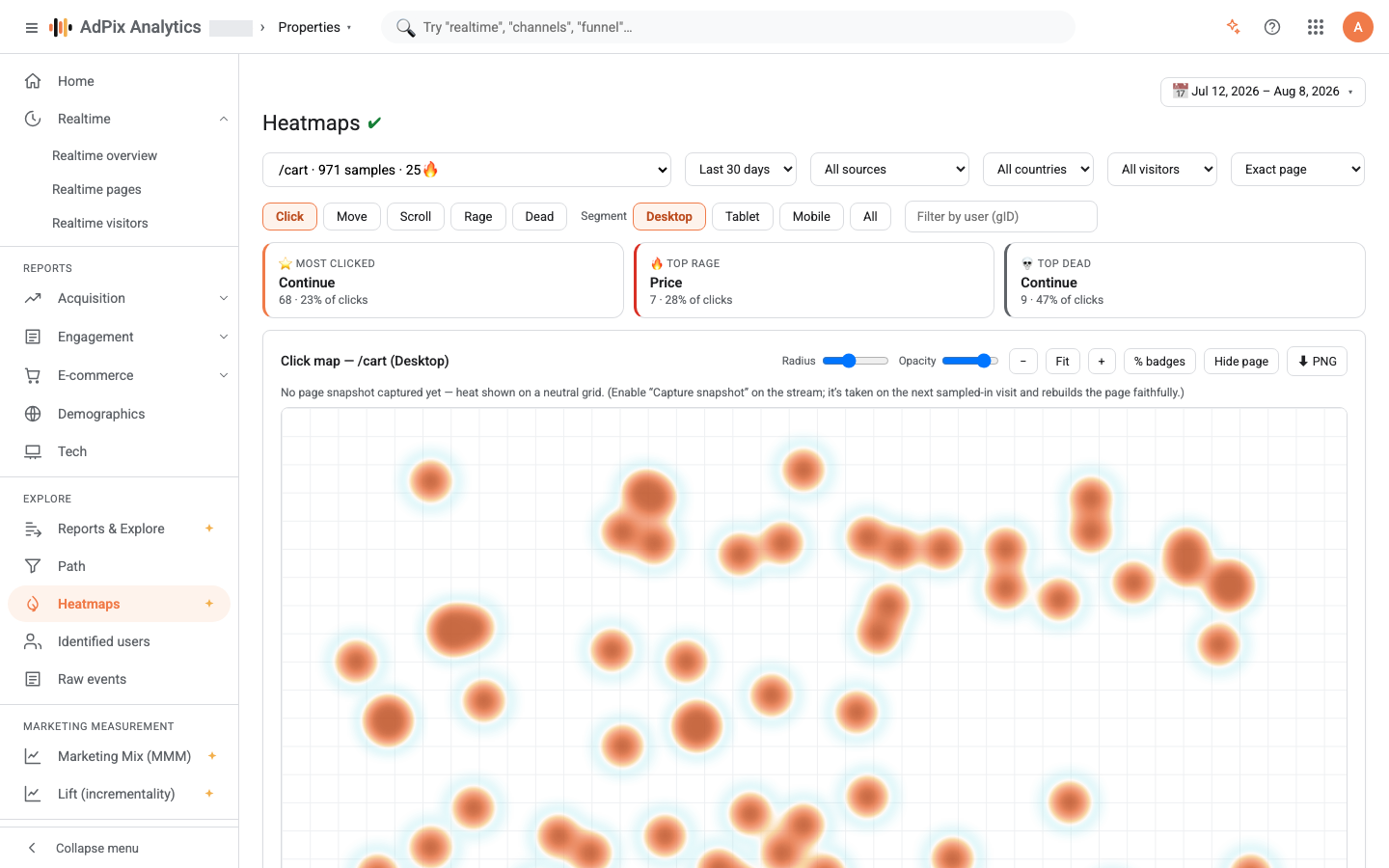
- Until a rebuild arrives, a note above the map says no page snapshot has been captured yet and the heat is drawn on a neutral grid.
Reading the map#
A row of filters runs across the top.
- Page — the busiest captured pages, each with its sample count. Pages are grouped by canonical route, so
/product/123and/product/456are the single row/product/:id. Numeric segments, UUIDs and long alphanumeric ids all collapse to:id; note that this is a different placeholder from the*used by path exploration. - Period — Today, 7 days, 30 days, 90 days. This period is independent of the global date picker and defaults to thirty days, because a heatmap accumulates over time and a "Today" window is effectively empty.
- Source, country, visitor — the usual cuts: traffic channel, country, and new versus returning visitors.
- URL match — exact page (the default), URL contains…, or URL starts with…. The last two aggregate the heat of many real URLs; a
/blogpattern shows the whole blog at once. - Device — desktop, tablet, mobile, all.
Layouts differ per breakpoint, so maps are deliberately kept separate per device class. With All, mobile and desktop clicks land on one canvas and the backdrop falls back to the desktop rebuild — producing a map that represents neither experience. Pick one device class before you make a decision on it.
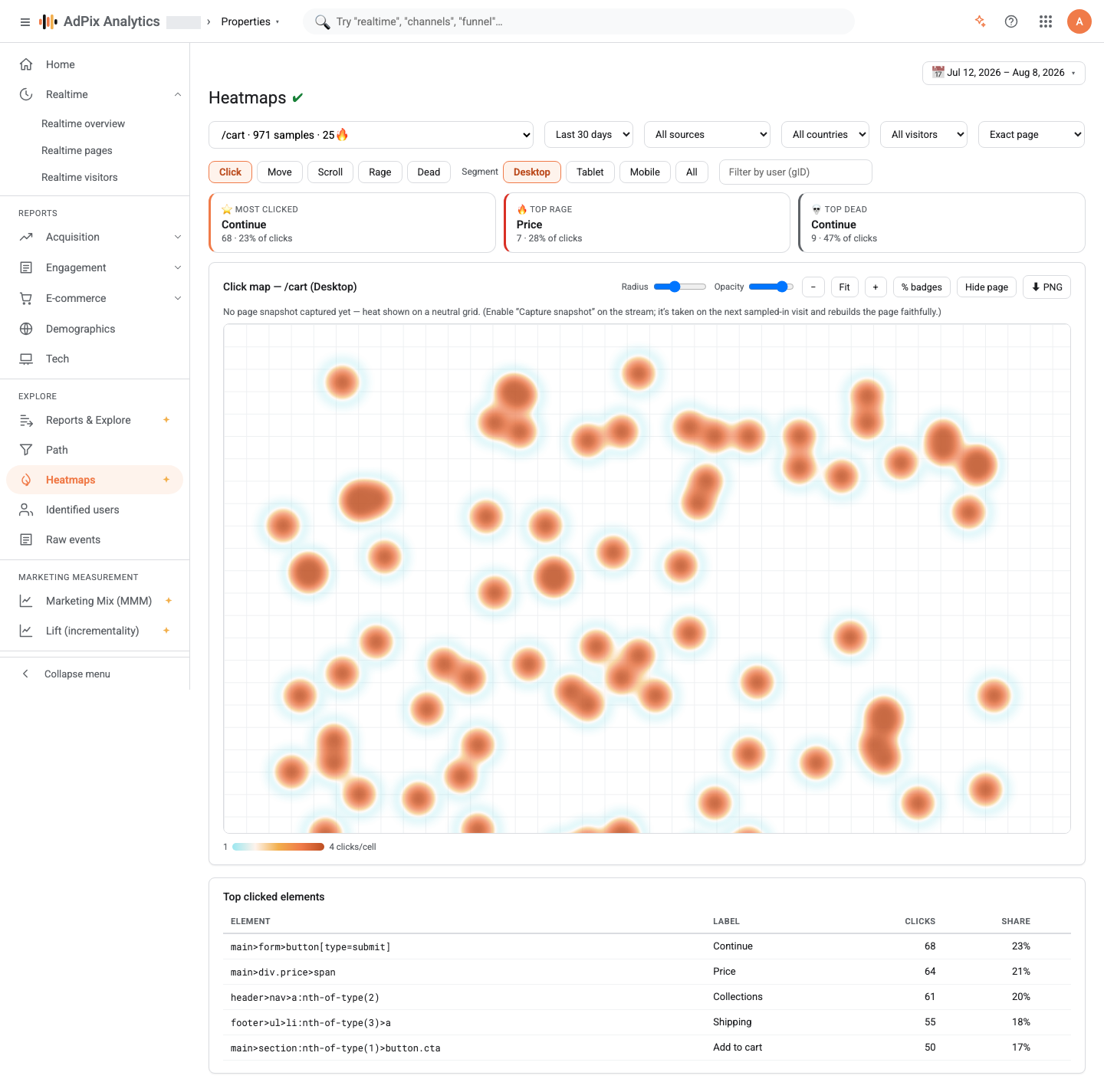
Above the map are three spotlight cards — most clicked, top rage, top dead. Select one and the view switches and pins that element on the page.
On the map itself: hovering shows the element under the cursor with its click count and share of the page's clicks; clicking pins it and opens the Element panel beside the map. The radius and opacity sliders change only how the heat layer looks, never the numbers. The % badges control writes each element's share onto it, and hide page strips the backdrop so only heat remains.
Below the map is the top clicked elements table: the element's structural selector, its text label, click count and share. Each row's Locate button finds and highlights that element on the page.
The PNG download saves the composite of backdrop plus heat as one image. If the captured page carries cross-origin assets that cannot be rasterised, the export degrades to the heat layer alone.
The scroll map#
The scroll view works differently: depth bands rather than points. Each pageview stores only the furthest depth it reached, not a stream of scroll events. Two numbers appear below the map — the average fold, and the quick-back rate.
Friction signals#
This is where a heatmap turns from interesting into actionable. The tracker classifies each click after a short delay, to see whether the page responded at all.
| Signal | Operational definition | What it usually means |
|---|---|---|
| Rage | at least three clicks within about a second inside a roughly forty-pixel radius, with no change to the page and no navigation | something is broken or slow: a button that does nothing, a form failing silently |
| Dead | a click on a genuinely non-interactive element, with no page change and no navigation | it looks like a button or a link and is not — a product image, a heading, an icon |
| Quick-back | leaving the page in under four seconds, when that page was not the entry page | the page did not deliver what the previous link promised |
A click that causes navigation deliberately stays a plain click, because rage and dead are by definition clicks that achieved nothing. That is what keeps the two signals low-noise: any click that did something is excluded from them.
The quick-back rate is reported in the scroll view, because its unit is the pageview rather than the element.
Consent and privacy#
For consent purposes, heatmap capture belongs to the Statistics category.
- If the consent banner is on for the property, the capture module does not load at all until the visitor has accepted Statistics. In opt-in mode, before any choice has been made, the answer is no — the failure direction is not capturing, never capturing.
- Input values are masked in the page rebuild; text a visitor types is never sent.
- Element labels are never taken from an
input,textarea,selectoroption, and every other label is trimmed to 64 characters. Label text is read from visible content only, soscriptandnoscriptbodies never end up in it. - Samples carry the pipeline's visitor ID, so like every other report they stay scoped to your organisation and property.
The per-user filter, which narrows a map to one identified person, requires a separate permission and is simply not offered to anyone who is not allowed to see user identifiers.
Retention, caps and what the platform enforces#
Heatmaps are the highest-volume data AdPix captures, so a few controls sit above your stream settings and are held by the platform operator:
| Control | Default | What you feel |
|---|---|---|
| Raw point retention | 90 days | maps older than this empty out |
| Page rebuild retention | 180 days | old pages lose their backdrop and heat falls back to the neutral grid |
| Sample-rate cap | none | if a cap is set, your stream's rate is clamped down to it |
| Monthly sample quota | none | on reaching the quota, capture stops until the next month |
| Master capture switch | on | switching it off stops capture for every property |
Retention is applied by a nightly prune rather than an instant delete, so a changed retention value takes effect on the next run.
When a quota is exhausted or the master switch is off, incoming samples are dropped quietly and the visitor's browser sees no error. On your side that appears as "the data stopped", not as a failure. Check the sample rate and the "Run until" date before you go looking for a bug.
Small things that come up#
- With fewer than thirty samples on a page, a limited-data warning appears above the map. Treat the map as directional until then.
- Click and move density is read by default from a pre-bucketed table built for speed, which is approximate. The moment you apply a source, country, visitor or user filter — or move URL match off exact page — the exact query runs instead. Small differences between a filtered and an unfiltered view come from this.
- The number of move samples per pageview is bounded and move samples are thinned in the browser as well; the move map is a representative sample, not a full recording of every pixel.
- The elements table returns up to fifty elements and the map up to eight thousand points.
- Elements are stored by structural selector. Change the page template and old selectors no longer resolve against the new rebuild, so their Locate button disappears — the numbers are still right, only the position on the page is lost.
Frequently asked questions#
Why is Heatmaps locked, or showing an upgrade screen?
Heatmaps is a premium feature. If the property you have switched to is on the Free plan, the menu item carries a premium badge and opening the page shows the upgrade card instead of the report. The docs are not wrong — that property's plan has to be upgraded.
I enabled heatmaps but no data is arriving. What now?
Four common causes. The capture module only loads on sessions that are sampled in, so a low sample rate means waiting. If the cookie banner is on, nothing is captured until the visitor accepts the Statistics category. The page may sit under an excluded path prefix. And if the "Run until" date has passed, the server tells the tracker capture is off.
Is text a visitor types into a form captured?
No. The backdrop is a DOM rebuild with input values masked, element labels are never taken from an input, textarea, select or option, and every other label is trimmed to 64 characters. Form values never reach AdPix.
How long is heatmap data kept?
The platform defaults are 90 days for the raw interaction points and 180 days for the page rebuild, enforced by a nightly prune. The platform operator can change both, cap the sample rate, or set a monthly sample quota.
Thanks — your feedback helps us improve the docs.