Roles and capabilities
A role in AdPix is a number, and every action in the console requires a minimum number. This page gives each role its number, each action its threshold, why you cannot grant above yourself, and why holding the capability still does not mean the screen opens.
The two panels access is granted from#
The console has two access panels today, both under Admin:
| Panel | Direct link | Who it lists |
|---|---|---|
| Property access management | /admin?sel=property-access |
Members of the active property |
| Account access management | /admin?sel=account-access |
Members of the account the active property sits under |
Membership at the organization level is not managed from either panel.
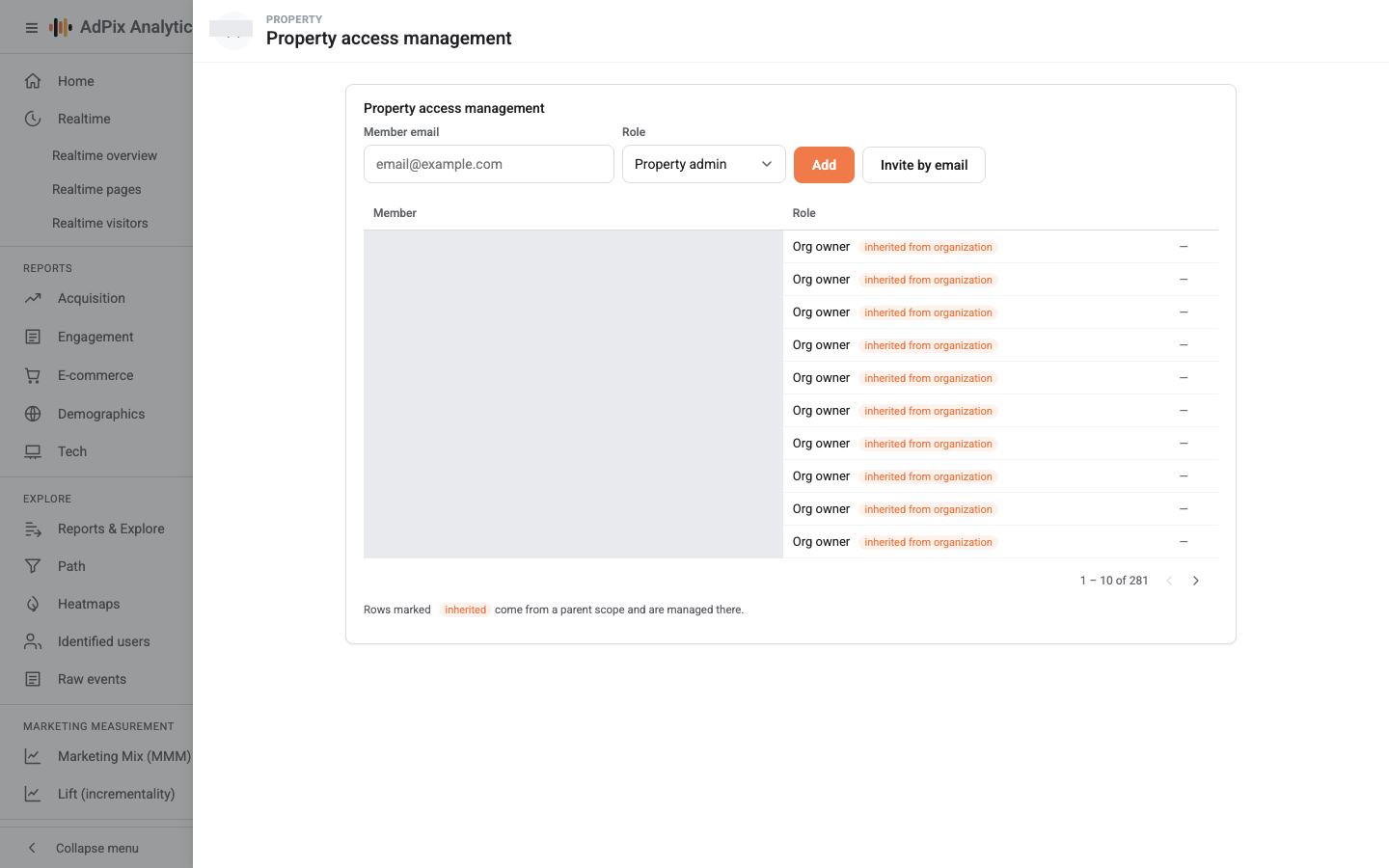
The account panel opens on whichever account holds the active property, and its title carries that account's name. To work on a different account, first make one of its properties active in the picker at the top of the page.
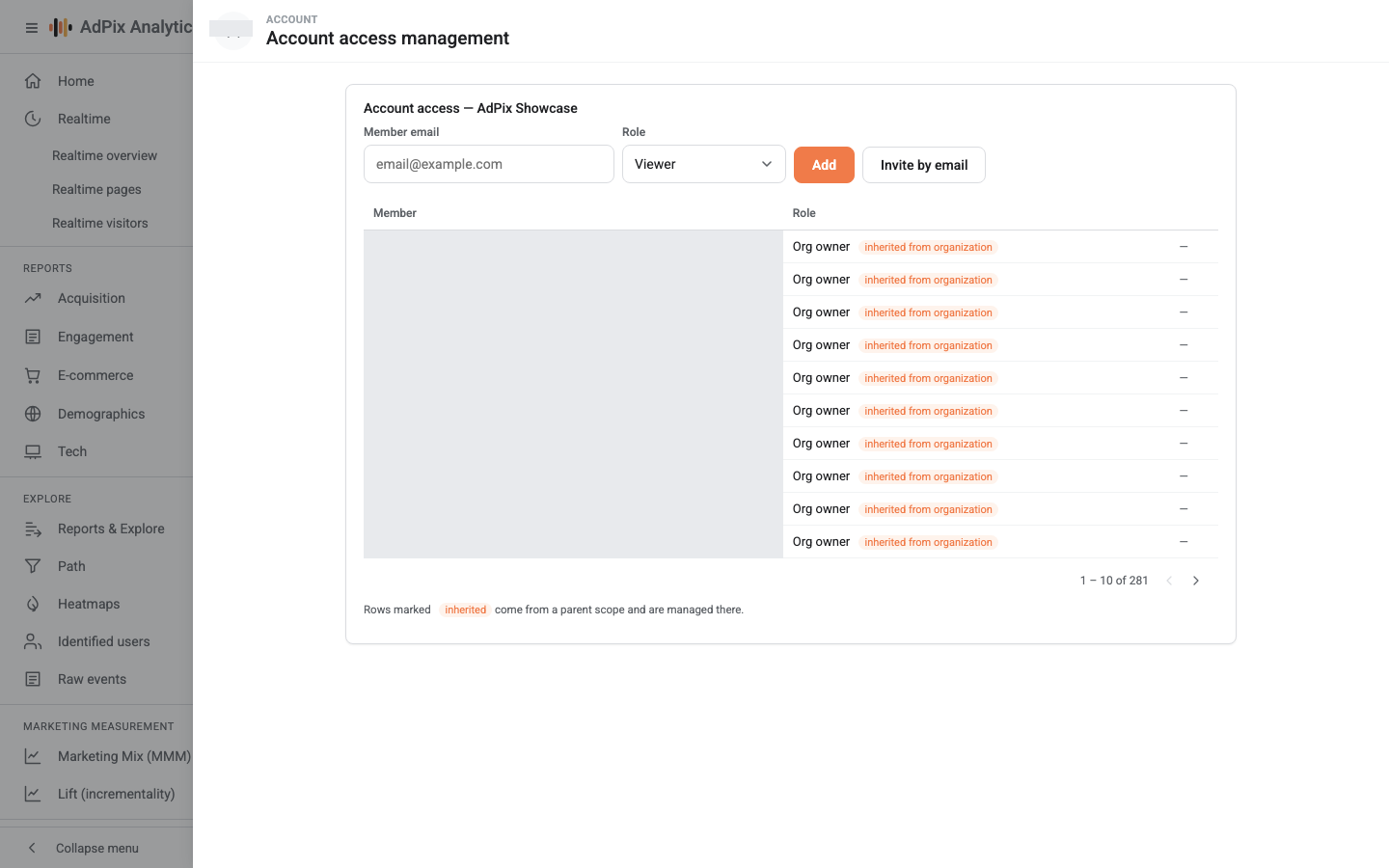
The role lists offered in the two panels are not the same:
- In Property access management: Viewer, Analyst, Marketer, Editor, Property admin.
- In Account access management: Account admin, Property admin, Editor, Analyst, Viewer.
In the property panel the role list opens on Property admin — the highest role in that list. Select Add without changing it and you have created an administrator where you meant a viewer. In the account panel the default is Viewer.
The ladder: every role is a number#
Authority in AdPix is not a list of tick boxes. Every role carries a numeric rank, every action requires a minimum rank, and falling short means the server answers 403.
| Role | Rank | What it means in the console |
|---|---|---|
| Viewer | 10 | Read reports and settings |
| Org member | 15 | Basic membership in the organization; grantable at the organization level only |
| Analyst | 20 | Build explorations, segments, saved reports, annotations, the library |
| Marketer | 30 | Audiences, events and event rules, key events, alerts and their channels, this property's channel rules |
| Editor | 40 | Property details, Data streams, Integrations & CRM modules, server keys, cookie consent, cost import |
| Property admin | 50 | Everything above plus Property access management |
| Account admin | 60 | Everything above plus Account access management, creating accounts and properties, deleting and restoring, Trash |
| Org admin | 60 | Exactly the authority of Account admin, across every account and property in the organization |
| Org owner | 70 | Everything above plus organization member management and requesting permanent erasure of one person's data |
Roles are cumulative: each row also holds everything above it. The legacy name admin ranks with Property admin, and behaves the same way where it survives on older memberships.
A person's effective authority on a property is the highest rank reaching them by three routes: a membership on the property itself, on the account above it, and on the organization. Removing a role from one property changes nothing if the same person is also a member at the account level — go to the level the role actually comes from.
The same ladder, read from the actions#
If you start from the task rather than the role, this is the same information inverted:
| What you want done | Minimum role |
|---|---|
| Read any report and view settings | Viewer |
| Build an exploration, a segment, a library collection | Analyst |
| Define a key event, a create/modify event rule, an audience, an alert | Marketer |
| Change property settings, create a data stream, create a server key, configure cookie consent | Editor |
| Add and remove members on one property | Property admin |
| Create a property or an account, delete and restore, open Trash, add members on the account | Account admin |
| Manage membership at the organization level, request permanent erasure of one person's data | Org owner |
Two screens no business role reaches at all: the raw event stream and the identified-user list open only for AdPix platform administrators.
The grant ceiling#
Nobody may grant, invite or remove a role above their own effective rank at that scope. In practice:
- A property admin cannot make anyone an account admin or an org owner. The attempt is refused with a
403saying exactly that, surfaced as a notification in the corner of the screen. - You cannot remove a member who outranks you; revoking someone above you is their own action or a higher administrator's.
The rule applies identically to both routes — Add and Invite by email — so an invitation is no way around it. Without the ceiling a property admin could mint an org owner and then evict the person who granted the role.
Four restrictions that are independent of the role#
Separately from rank, four flags sit on the membership record itself. The first two are closed by default, the last two open:
| Restriction | Default | What it does when applied |
|---|---|---|
| Raw data | Closed | Event-level reads and raw export stay closed |
| User identifiers | Closed | The global user id, email, phone and other identity fields are masked in reports |
| Cost metrics | Open | Cost and ROAS columns come back empty |
| Revenue metrics | Open | Revenue columns come back empty |
One deliberate exception explains most "why can I not see the visitor's email" tickets: from rank 50 upwards — Property admin, Account admin, Org admin and Org owner — people see their own business's user identifiers without anyone lifting a flag. For Editor and below the default stays closed.
Property access management and Account access management take an email and a role only. Every member added from them is created with cost and revenue open and with raw data and user identifiers closed. Changing the flags is done through the access API, and lifting the two sensitive ones — raw data and user identifiers — is an AdPix platform administrator's action alone.
Every time user identifiers or raw data are actually read, a row marked sensitive is written to the audit log; those rows also appear in Property change history. The conflict-resolution rules in full are in roles and data restrictions.
Holding the capability is not the same as seeing the screen#
This is the most important point on the page. The role grants a capability; separately, an advanced feature can also be tied to the plan of the property currently selected at the top of the page. The two are independent and both have to hold.
- Without the role, the server answers
403and the page receives no data at all. - With the role but without the plan, the page opens and shows "{feature} is a premium feature" with an Upgrade plan button instead of the report.
- There is also a global kill switch that, when set, closes the feature for everyone, platform administrators included.
A feature that is not in the plan catalogue at all is always available; the base product is not plan-gated. Which features sit outside the Free plan is in plans and entitlements, and if you are staring at a locked screen, a feature is greyed out walks the diagnosis step by step.
With several properties, the same feature can be open on one and locked on another. Check the property picker at the top of the page before diagnosing anything else.
Rows you cannot edit from here#
The member list holds three kinds of row and only one of them carries an action menu:
| Row | Meaning | Editable? |
|---|---|---|
| A role with no badge | A direct membership at this level | Yes |
| A role with an inherited badge | The role comes from a higher level | No — managed at that higher level |
| None with the note (access on a lower level) | They hold a role only in a child scope | No — managed in that child scope |
An inherited row means you are looking in the wrong place. To change it, go to the account or organization the role actually comes from.
Role changes take effect immediately#
Changing a role or revoking access needs no re-login: access is read from the server on every request, so a page refresh applies it. The reverse holds too — staying signed in does not preserve access that has been taken away.
Every add, role change and removal writes a row to the audit log.
Next#
To see how an invitation becomes a membership, and what changes under single sign-on, read invite people and SSO.
Frequently asked questions#
Why can an Org admin not manage organization members?
Because membership management at the organization level requires rank 70 and Org admin is rank 60 — exactly level with Account admin, only with the whole organization in scope. Managing organization members is the Org owner's alone. That is deliberate, so a mid-tier role cannot redistribute ownership of the organization.
Why can I not see the data restrictions in the access panel?
The console panel takes an email and a role, nothing else. The four data restrictions live on the membership record and are set through the access API. Any member added from this panel is created without raw data and with user identifiers masked.
What is the admin role I see on some memberships?
A legacy name that ranks exactly with Property admin (rank 50). If you meet it in older data it behaves like a property admin. The console's role lists never offer it.
I granted the role but they still cannot see the page.
Two common causes. Either the feature is tied to that property's plan and the page shows the upgrade notice instead of the report, or the person has a different property selected in the picker at the top. A new role needs no re-login; a page refresh applies it.
Thanks — your feedback helps us improve the docs.